Create a hillshade🔗
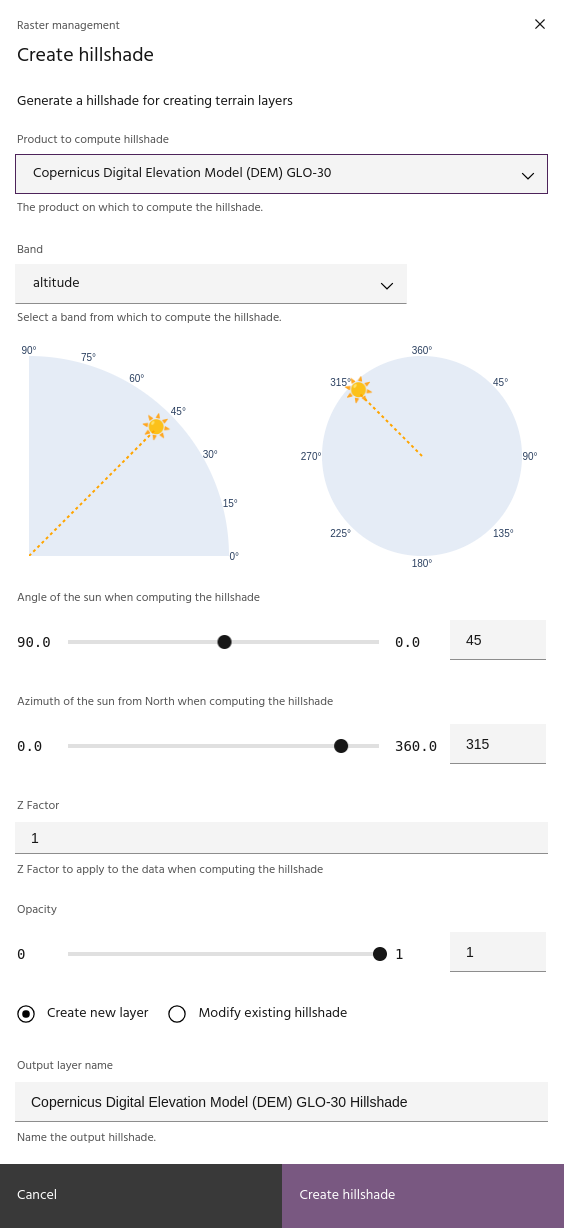
Hillshading a raster layer is a process that adds shading to the image with the goal of simulating sunlight to create 3D effects. While the process is traditionally applied to digital elevation models (DEMs), hillshades can be created from any band of any layer. The key parameters for generating a hillshade are:
Once a hillshade is created, it can be applied to any raster layer to highlight the shaded features.
Select input layer🔗
Select an input layer and band from which the hillshade will be computed.
Tip
DEM layers will populate the altitude band automatically if one is available.
Sun angle🔗
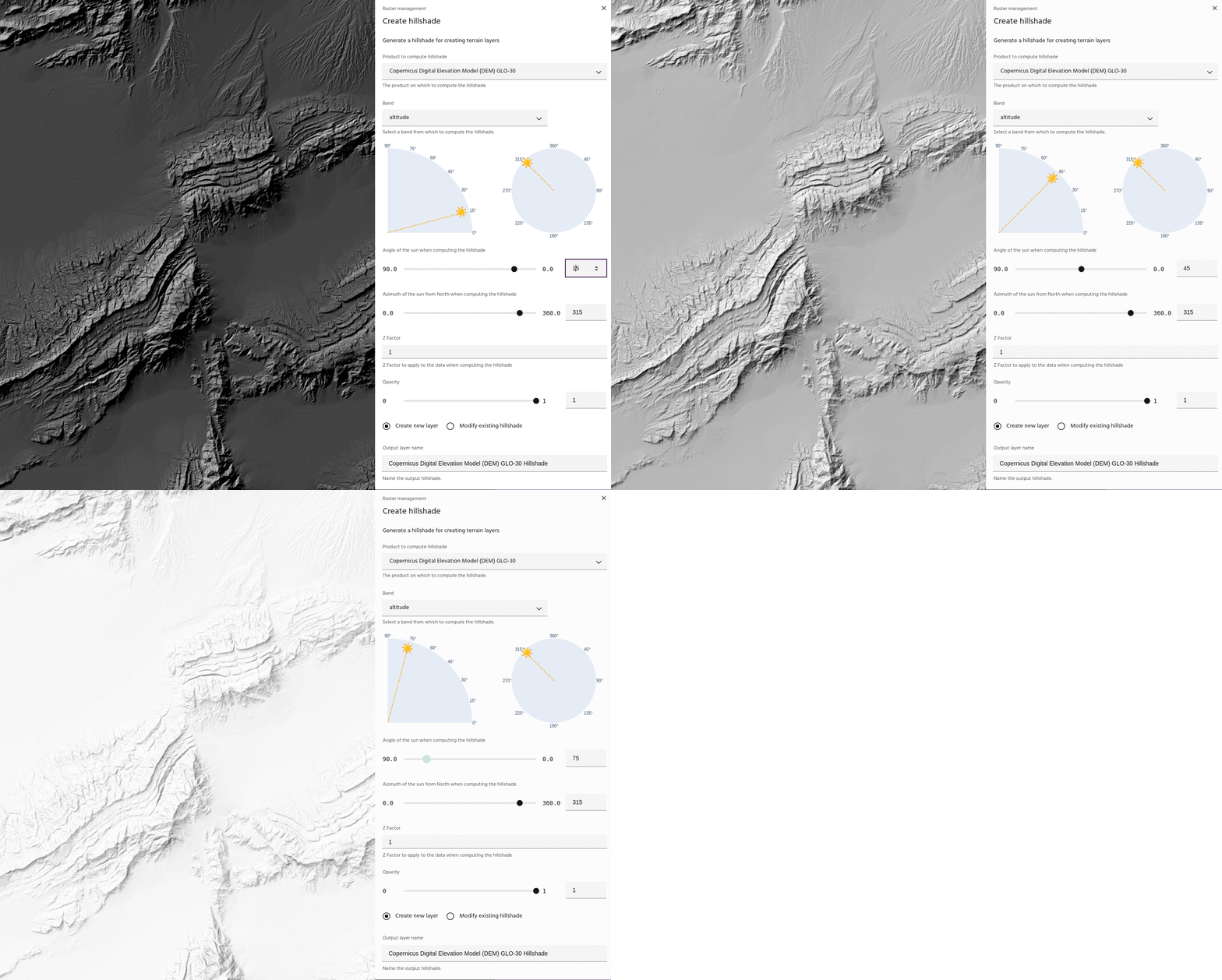
Use the sun angle slider to change the angle of the sun in the computation.
Sun azimuth🔗
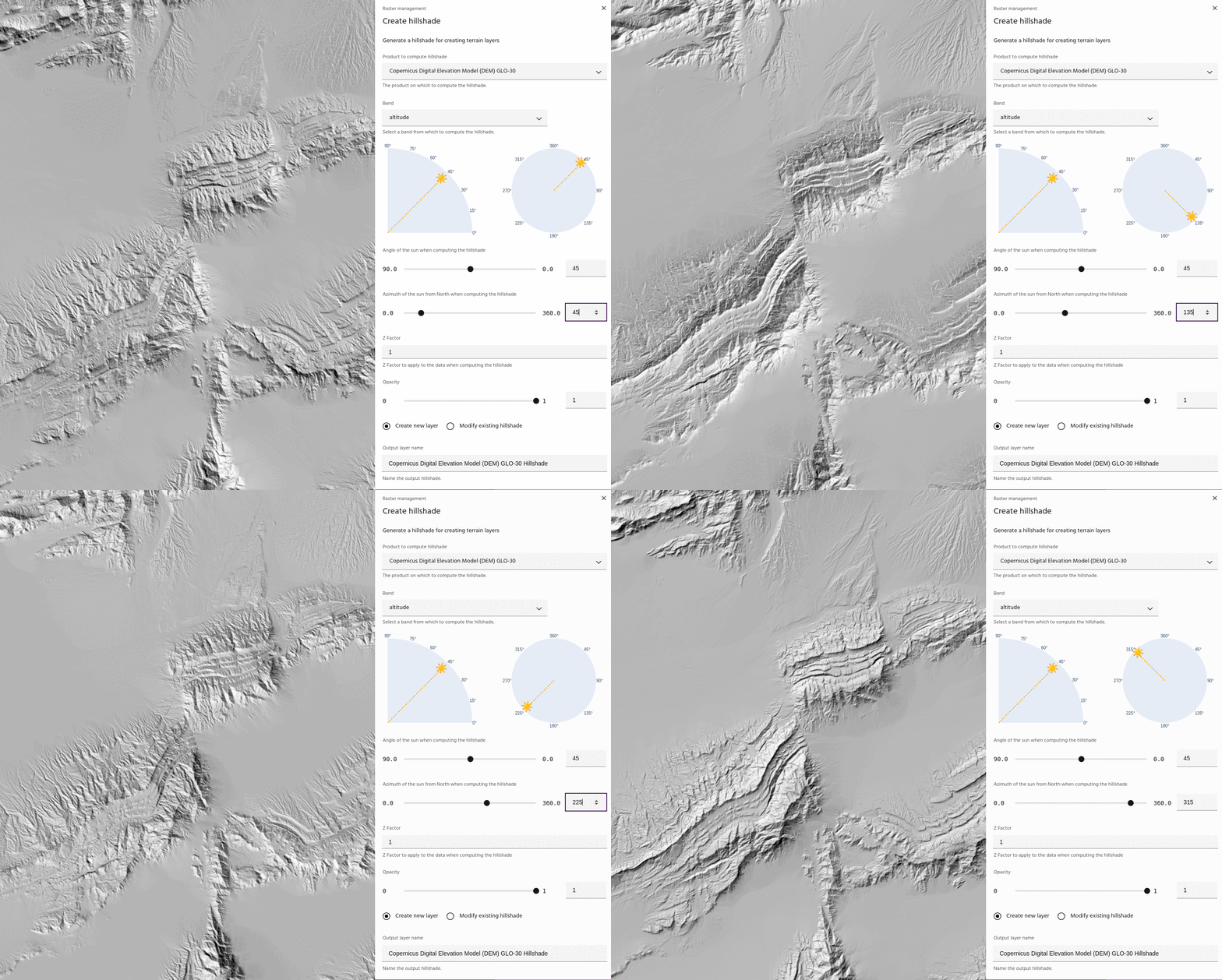
Use the sun azimuth slider to change the angle of the sun in the computation
Tip
Use the sun plots to quickly see where the sun is for the computation.
Z factor🔗
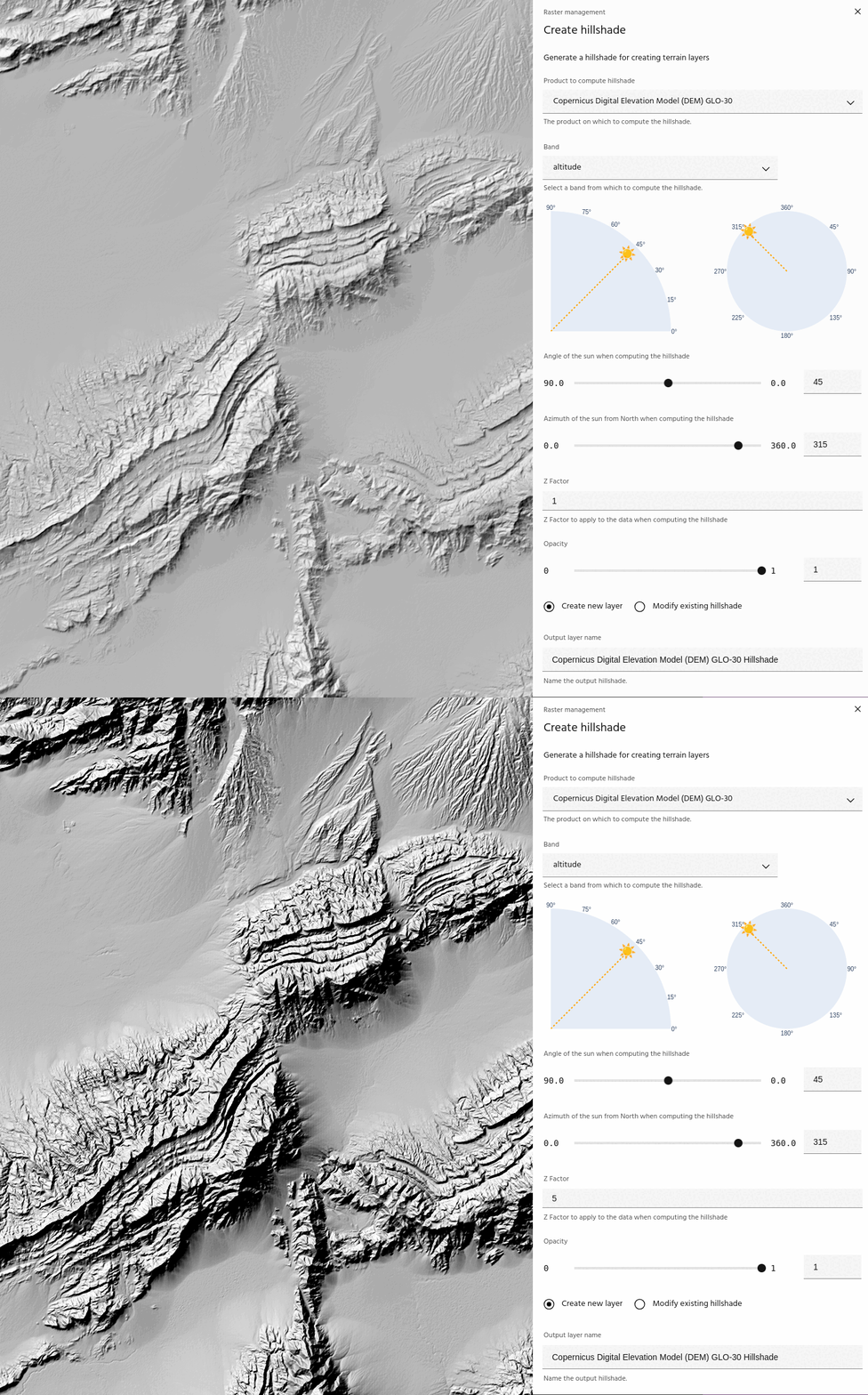
The z factor parameter scales the data before computing the hillshade. This is useful for low relief areas, or when hillshading non-terrain layers.
Tip
The z factor may need to be quite high to generate a good hillshade for non- elevation data. For example, for computing hillshades on Sentinel-2 bands, a z factor value of 100 is not unreasonable.
Opacity🔗
Visualization opacity of the hillshade display. Viewing hillshades with opacity is a good way to get a "quick look" of the combined terrain display before you fully apply the hillshade to the layer.
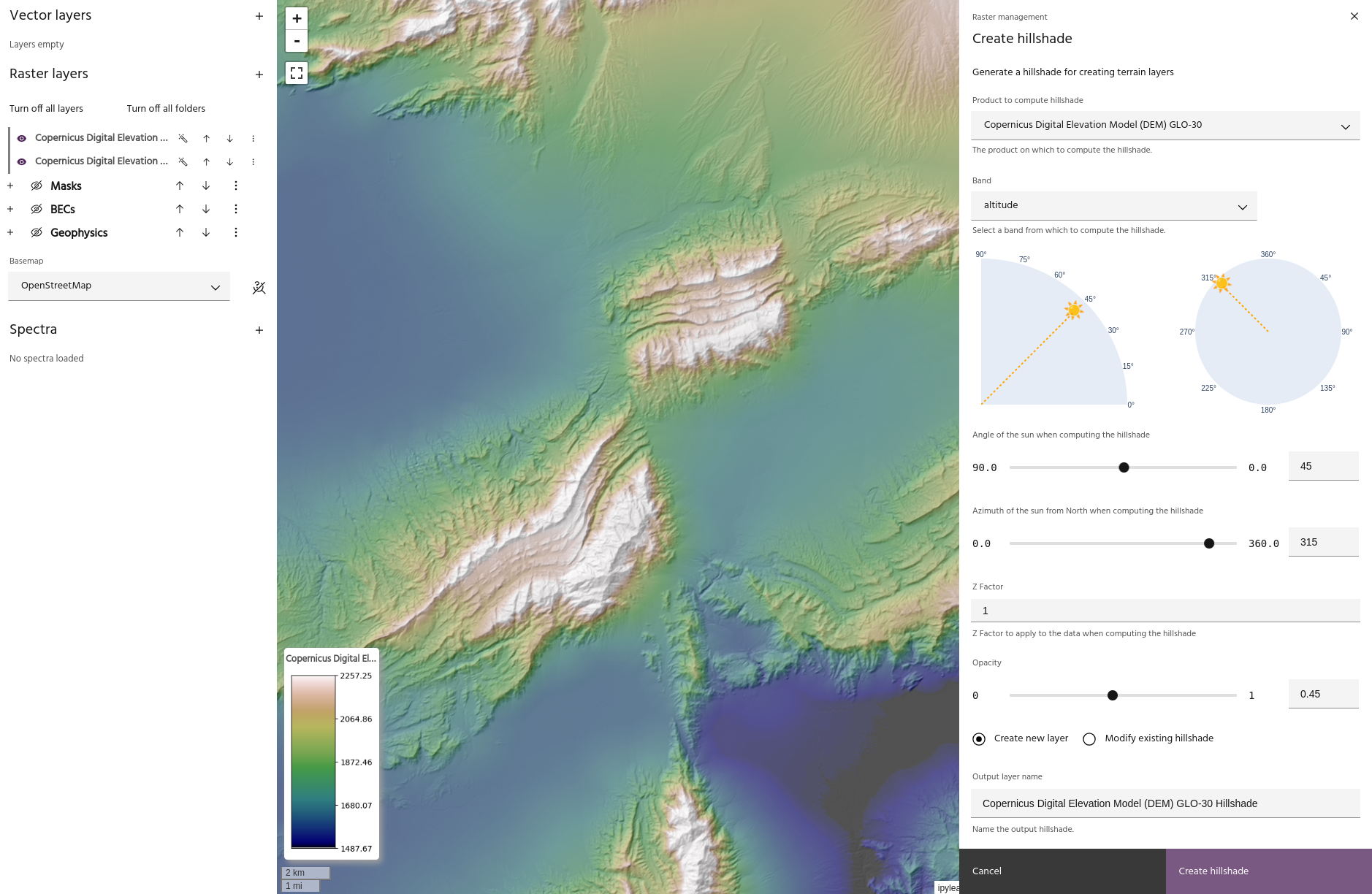
Updating an existing hillshade🔗
Choosing the Modify existing hillshade option will allow you to modify a
hillshade that has already been created.
Tip
Modifying an existing hillshade will automatically update all layers that are visualized using that hillshade!