Morphological operations🔗
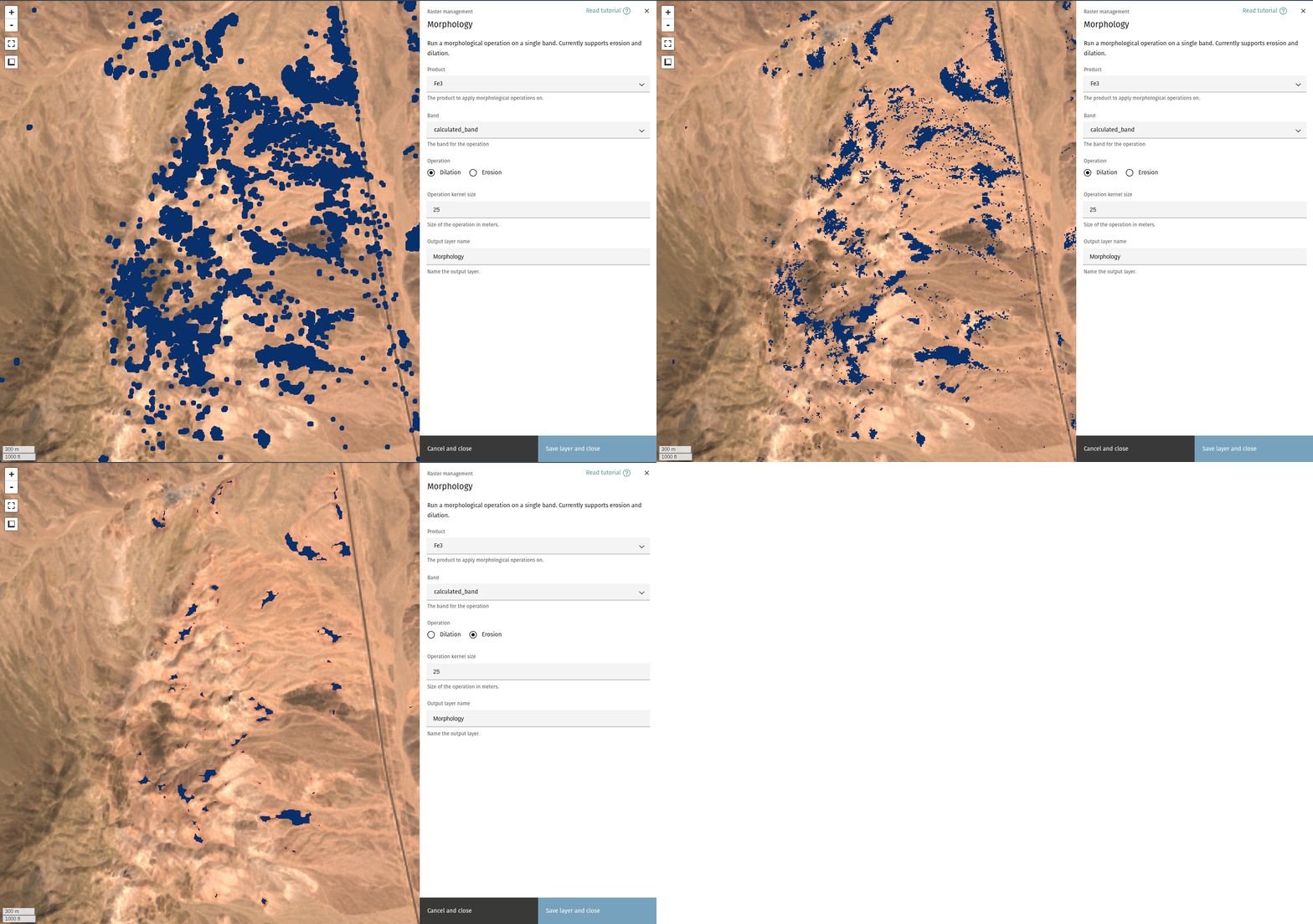
The Morphology tool offers a workflow for applying morphological operations to a layer. Currently, the tool supports erosion and dilation of a single band.
Tip
Background on morphology can be found here.
Select input layer🔗
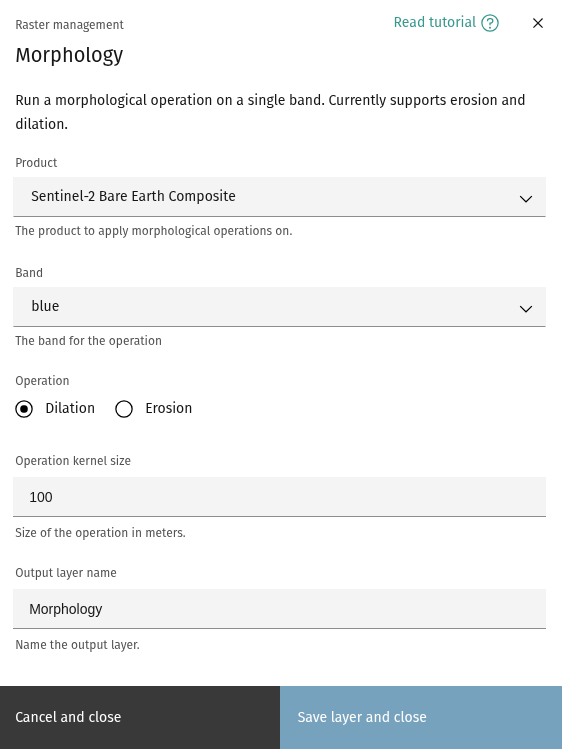
The Morphology dialog allows you to select the product and an input band to apply the operation on.
Operation🔗
Select the operation to apply to the chosen layer and band. Currently supports erosion and dilation.
Operation kernel size🔗
Size of the kernel, in meters.
Tip
Kernel size is used as the radius of a disk-shaped element for applying the operation.
Output layer name🔗
Choose a name for the output layer.
Ready to learn more? Our team is available to discuss how EarthDaily's agricultural intelligence platform can meet your specific needs.
Contact us