Load spectra from library🔗
Spectra can be loaded from an available spectral library. The USGS Spectral Library is available for all users, as well as any user exported spectra. Additional libraries may be imported as well, contact support for additional support.
- From
Spectraheader, selectAdd spectra to project.\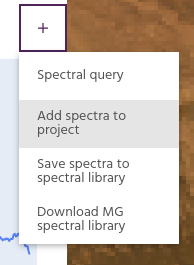
- From the dropdown, select
Add from an existing spectral libraryand click theLoad spectra using the chosen methodbutton.\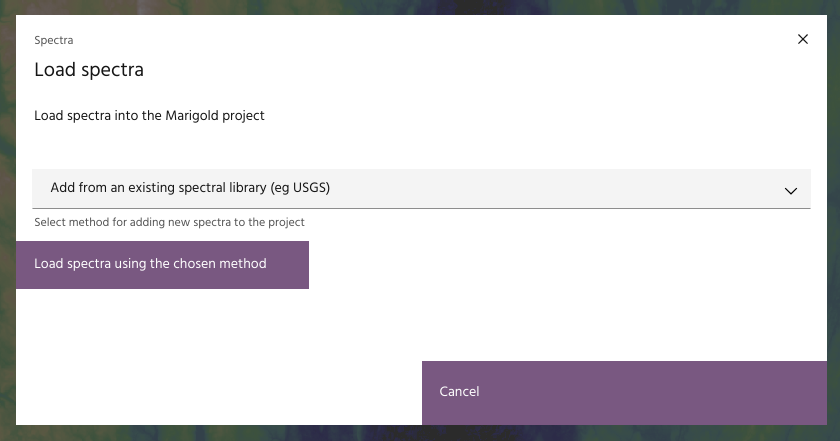
- If multiple libraries are available, they will appear in the
Select Librarydropdown. Select the proper library, the columns in the library you wish to view, and which columns to use for the search. ClickLoad mineralto search the chosen library.\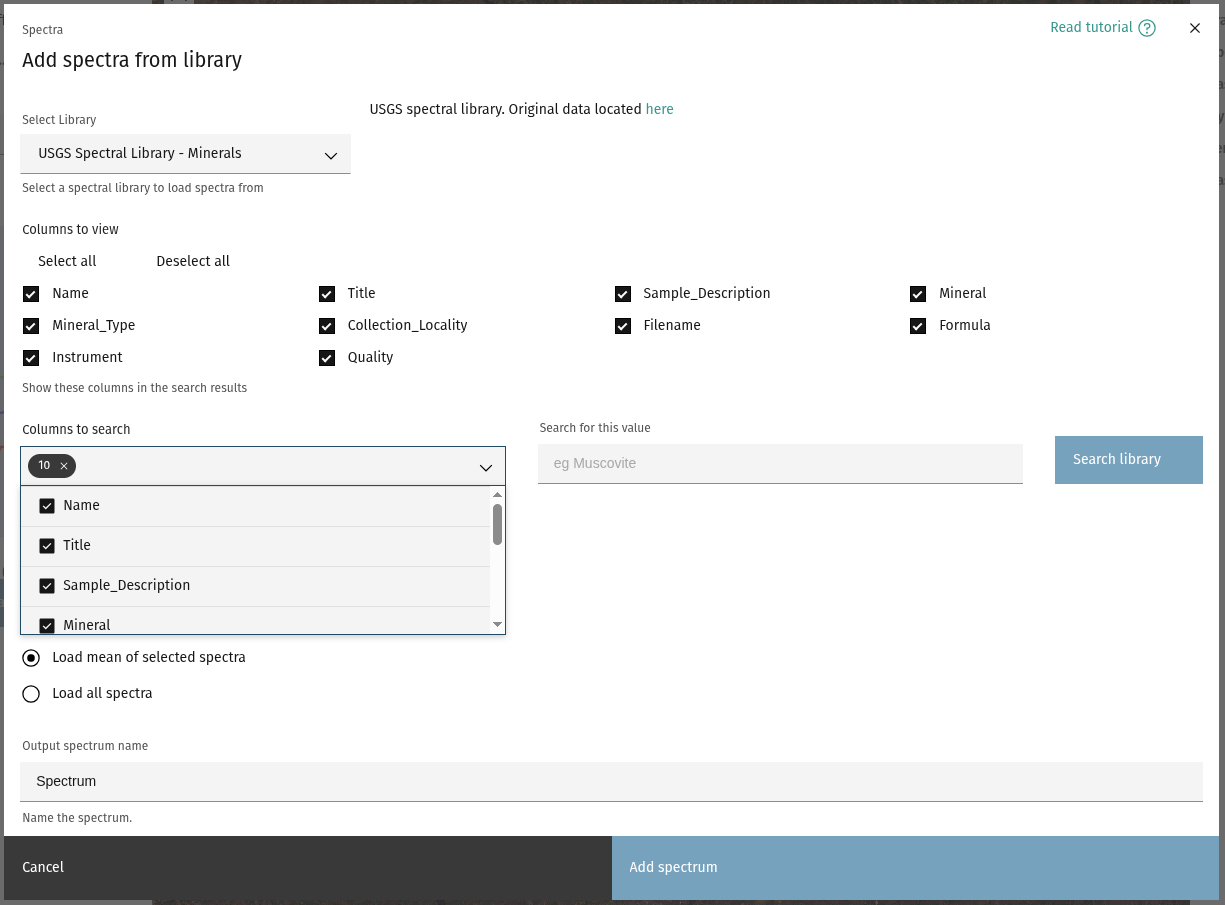
Tip
Leaving the search field blank will return the whole library.
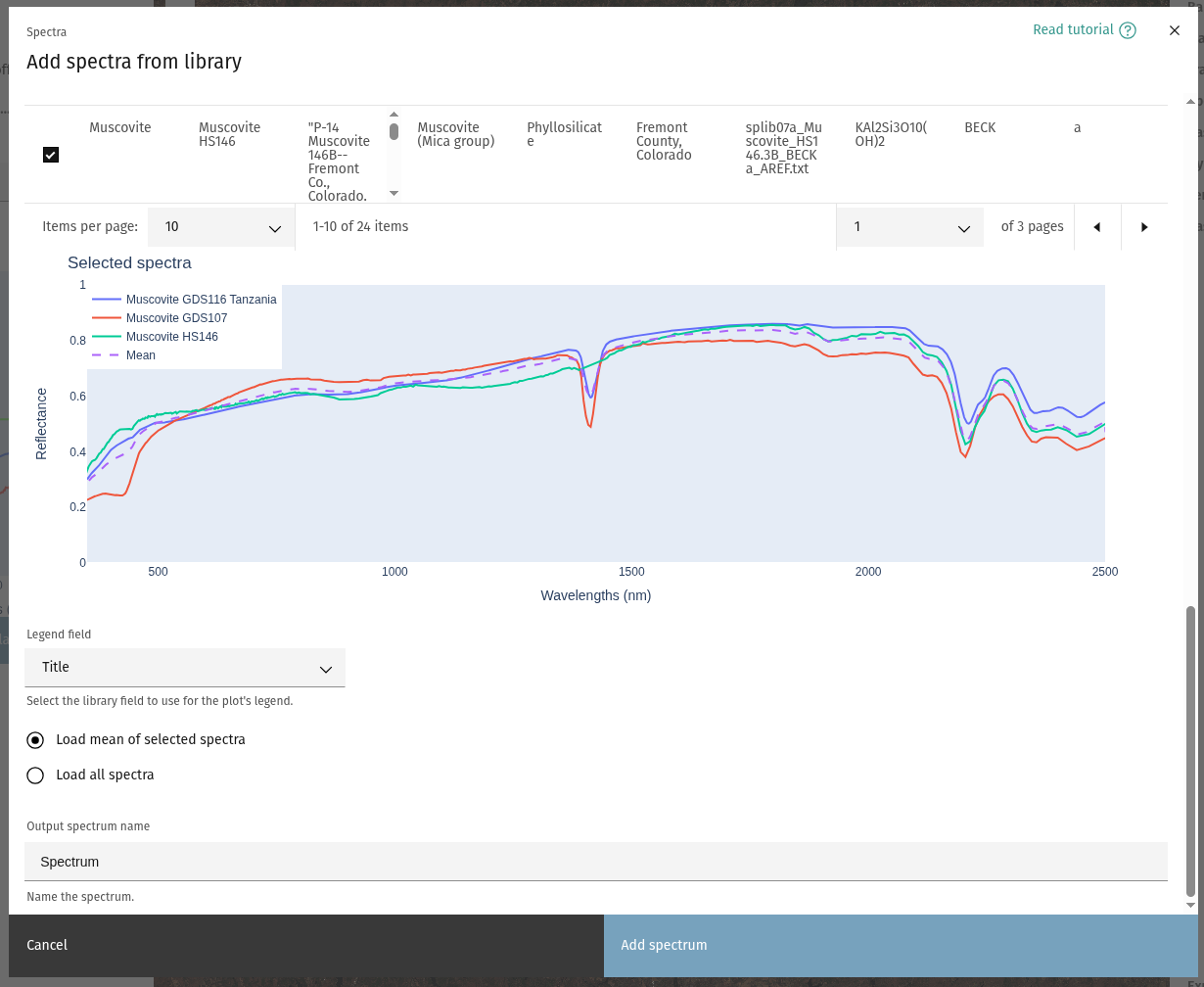
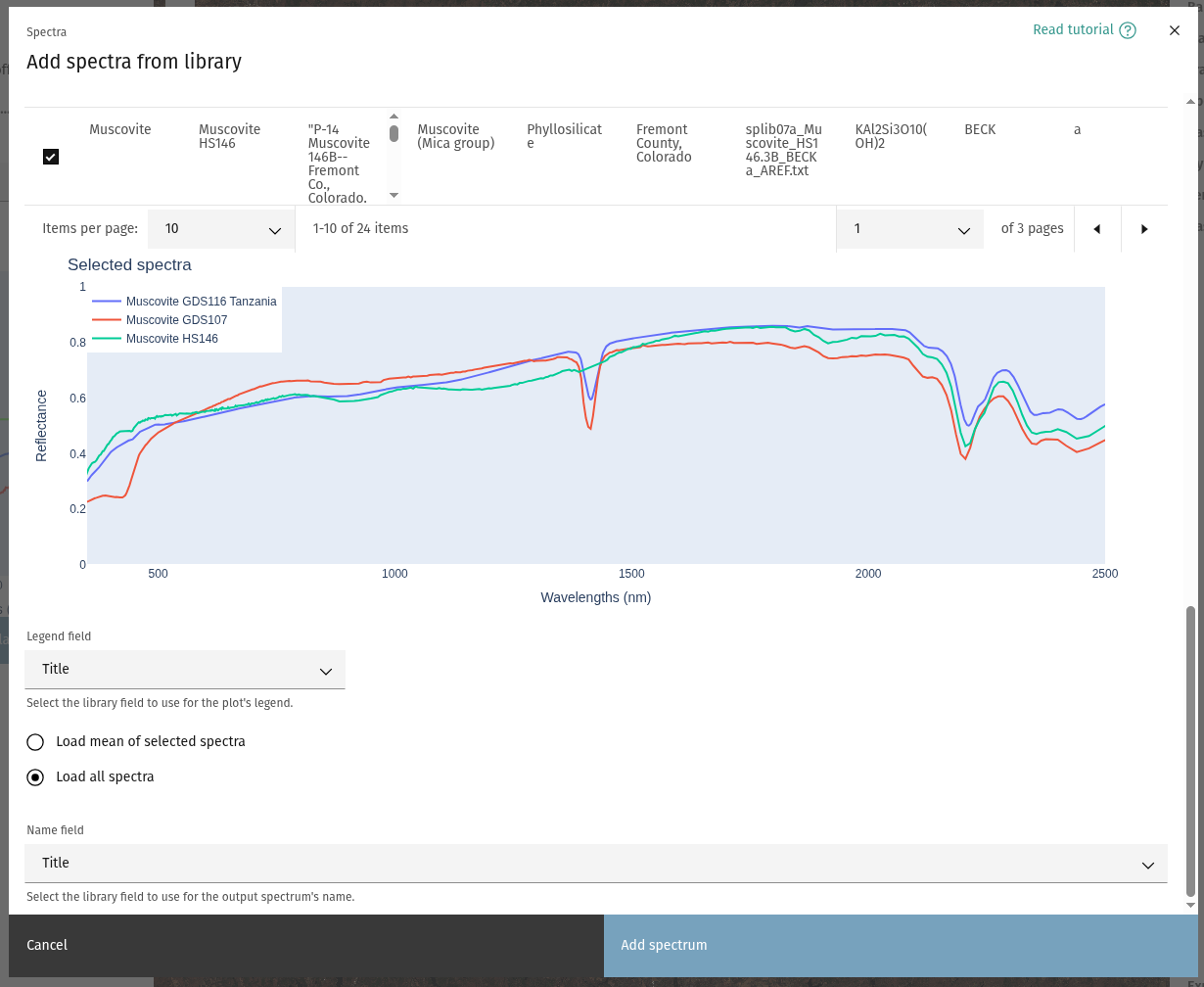
- Select representative samples of the chosen minerals. If more than one sample
is chosen, spectra can be loaded either as individual samples, or the mean of
all selected spectra will be loaded.\
 \
\
Tip
Use the Legend field dropdown to change the value used in the plot's legend.
- If loading the mean spectrum, provide a name for the output, or else choose the field that will be used to name the output spectra. Click “Add spectrum” to load the chosen spectra, which will now be available for use.
Ready to learn more? Our team is available to discuss how EarthDaily's agricultural intelligence platform can meet your specific needs.
Contact us